Why Are Google Campaigns Your Secret Weapon for App Growth in 2025?
The app economy is a hyper-competitive battleground, where millions of applications vie for limited user attention. With mobile ad spend soaring to $336 billion globally in 2023 and apps consuming a staggering 70% of all mobile time, merely existing in app stores is no longer enough. Standing out requires a strategic, data-driven approach to user acquisition.
This intense competition makes strategic user acquisition not just important, but vital for survival and growth. Without a consistent influx of relevant users, even the most innovative apps risk fading into obscurity. This is precisely where Google App Campaigns emerge as your indispensable secret weapon for 2025.
The Unrelenting Challenge of App Discoverability
Historically, app developers relied on organic discovery, app store optimization (ASO), or fragmented advertising efforts. However, the sheer volume of new apps launched daily has made organic visibility increasingly difficult. Users are overwhelmed, and traditional ad placements often fail to connect with high-intent individuals.
This landscape demands a platform that can cut through the noise and deliver your app directly to its ideal audience. Google App Campaigns (formerly Universal App Campaigns) offer precisely this capability, transforming how apps are discovered and adopted.
Why Google App Campaigns Lead the Charge in 2025
Google’s extensive reach and advanced machine learning capabilities create a powerful synergy for app marketers. These campaigns leverage Google’s vast network, including Google Search, Google Play, YouTube, Discover, and the Google Display Network, to place your app in front of users most likely to install and engage.
Consider the scale: Android commands approximately 70% of the global mobile operating system market share as of 2025. Tapping into this enormous user base through intelligent, automated campaigns is a game-changer. Google’s algorithms continuously learn and adapt, optimizing bids and placements to maximize your return on ad spend (ROAS) and drive high-quality app installs google ads.
Google App Campaigns simplify complex targeting, making high-impact user acquisition accessible.
This automation means less manual campaign management and more focus on what truly matters: improving your app and enhancing user experience. By harnessing Google’s predictive analytics, developers can anticipate user behavior and adjust strategies proactively, moving beyond reactive marketing to a truly iterative approach.
Google App Campaigns offer a streamlined, intelligent pathway to acquire users, ensuring your app reaches its target audience efficiently across Google’s massive digital footprint.
What You’ll Discover in This Guide
This guide will equip you with the knowledge and strategies to master Google App Campaigns in 2025. We’ll delve into the core concepts, essential preparations, and a step-by-step blueprint for building high-performing campaigns. You’ll learn how to craft compelling ad creatives that drive unstoppable app installs and unleash the algorithm’s full potential for maximum ROI.
To truly master this landscape, understanding how to structure and optimize these campaigns is paramount, as detailed in our comprehensive guide on google app campaigns.
Core Concepts: What Exactly Are Google App Campaigns and How Do They Power Growth?
Unlocking explosive app growth in 2025 demands a sophisticated strategy, and at its heart lie Google App Campaigns. These aren’t just another ad format; they represent a fundamental shift in how developers and marketers acquire users, leveraging the full power of Google’s vast ecosystem and advanced machine learning.
The Evolution of App Promotion: From UAC to GAC
At their core, Google App Campaigns are highly automated ad campaigns designed exclusively to promote mobile applications. If you’ve been in the app space for a while, you might remember their predecessor: Google Universal App Campaigns (UACs). The shift from “Universal” to simply “App Campaigns” in Google Ads signals a streamlined focus, but the underlying principle remains robust.
These campaigns simplify the traditionally complex process of app advertising. Instead of manually creating ads for different formats and platforms, you provide Google with a few key assets—text, images, videos, and your app’s listing details—and the system takes over.
Google App Campaigns are your all-in-one solution for reaching high-value users across Google’s entire network.
How Machine Learning Fuels Your App’s Growth
The true brilliance of an app campaign Google Ads strategy resides in its advanced machine learning capabilities. This isn’t just about showing ads; it’s about showing the right ads to the right people at the right time. The system continuously analyzes countless signals, from user behavior and device type to app store interactions and creative performance.
This intelligent automation optimizes bids and ad placements in real-time. It learns which ad combinations resonate most with specific user segments and adjusts its strategy to maximize your desired outcome, whether that’s a new install or a critical in-app purchase.
The algorithm learns and adapts, constantly refining its approach for optimal performance.
Extensive Reach: Where Your App Gets Discovered
One of the most compelling aspects of Google App Campaigns is their unparalleled reach. These campaigns cast a wide net, ensuring your app reaches potential users across Google’s most trafficked properties. This extensive network includes:
- Google Search: Your app ads appear directly in search results when users look for apps like yours.
- Google Play: Prominently displayed within the world’s largest app store, reaching users actively seeking new apps.
- YouTube: Ads run across various formats, leveraging video to showcase your app’s features and benefits.
- Google Display Network (GDN): Millions of websites and apps where your ads can reach users browsing related content.
- Discover: Integrated into users’ personalized content feeds, providing a seamless discovery experience.
This multi-channel approach significantly boosts visibility and acquisition potential, tapping into a user base that spends 70% of all mobile time on apps.
Driving Core Objectives: Installs and In-App Actions
Google App Campaigns are built with clear objectives in mind. Whether your goal is to skyrocket google universal app campaigns installs or to deepen user engagement with specific in-app actions, these campaigns are finely tuned for precision.
Install Volume Optimization
For many developers, the initial focus is on driving as many high-quality installs as possible. Google’s machine learning identifies users most likely to download and keep your app, optimizing bids and targeting to deliver maximum install volume within your budget constraints.
In-App Event Optimization
Beyond just installs, these campaigns can be configured to optimize for specific in-app events crucial to your app’s success. This could include achieving a certain level in a game, completing a tutorial, making a purchase, or subscribing to a service. By tracking these conversions, the system learns to find users who aren’t just installing, but actively engaging and contributing to your app’s long-term value.
From first install to critical in-app actions, Google App Campaigns are engineered to align with your most important business goals.
In essence, Google App Campaigns provide a powerful, automated, and far-reaching solution for app marketers. They abstract away much of the complexity of ad management, allowing you to focus on developing an exceptional app while Google’s AI diligently works to connect it with the right audience.
The Launchpad: What Essential Preparations Will Ensure Your Google App Campaign Soars?

Before any rocket launch, meticulous preparation is non-negotiable; the same holds true for a successful Google App Campaign. Many app marketers jump straight into ad creation, only to find their campaigns sputtering. The truth is, the groundwork laid before you even touch the Google Ads interface profoundly dictates your success in driving quality installs and sustained engagement.
Optimize Your App Store Presence: Your Digital Storefront
Your app store listing is the ultimate landing page for your ad. Think of it as the digital storefront users visit after clicking your google ads for app installs. A poorly optimized listing, regardless of how effective your google app install campaigns are, will lead to high bounce rates and wasted ad spend.
A compelling app store listing is the first step towards conversion.
This crucial step involves robust App Store Optimization (ASO). Ensure your app title, subtitle, and description are rich with relevant keywords that users search for. High-quality screenshots and engaging video previews are vital; they offer a visual narrative of your app’s value proposition. An optimized listing not only improves organic discoverability but also significantly boosts the conversion rate of paid traffic.
Set Clear Goals: Your North Star for Google App Install Campaigns
Launching a campaign without defined objectives is like sailing without a destination. Before configuring any ad group, establish precise, measurable goals. Are you aiming for pure install volume, or are specific in-app actions, like registrations or purchases, your priority?
This clarity helps you define your target Cost Per Install (CPI) or Cost Per Acquisition (CPA). Knowing these benchmarks upfront allows Google’s machine learning algorithms to optimize more effectively, focusing its efforts on users most likely to meet your desired outcome within your budget constraints. Without a clear target, even high-performing campaigns can feel directionless.
Connect the Dots: Linking Google Ads to Your Developer Accounts
Seamless data flow is the backbone of any intelligent ad campaign. To unlock the full potential of Google App Campaigns, you must securely link your Google Ads account with your app developer platforms: the Google Play Console for Android apps and Apple App Store Connect for iOS applications.
This integration is non-negotiable. It allows Google Ads to automatically track installs and, crucially, in-app events, providing the necessary data for its algorithms to learn and optimize. Without this connection, your campaigns operate in the dark, unable to measure their true impact or adapt to user behavior.
Master Measurement: Attribution and In-App Event Tracking
Understanding where your installs and valuable in-app actions originate is critical for scaling effective google ads for app installs. This is where mobile attribution models come into play. They help you assign credit to the touchpoints that led to a conversion, providing insights into which channels are truly driving value.
Accurate attribution fuels smarter optimization and budget allocation.
Beyond installs, tracking specific in-app events is paramount. These could include user registrations, tutorial completions, premium subscriptions, or in-app purchases. By configuring these events within your app (typically via Google Analytics for Firebase) and importing them into Google Ads, you empower the campaign’s machine learning to optimize for users who don’t just install, but actively engage and generate revenue. This detailed tracking transforms your campaigns from simply acquiring users to acquiring valuable users.
Thorough preparation, from app store optimization to technical integrations and detailed event tracking, ensures your Google App Campaign is built on a solid foundation, ready to achieve its full potential.
Blueprint for Success: How Do You Build a High-Performing Google App Campaign Step-by-Step?
Embarking on a Google App Campaign can feel like launching a complex mission, but with a clear blueprint, you transform potential pitfalls into a precise, step-by-step ascent. This guide demystifies the process, equipping you to navigate the Google Ads interface and configure a high-performing campaign that drives tangible growth for your application.
Charting Your Course: Initiating the Campaign
The journey begins in the Google Ads dashboard, where precision in objective selection sets the stage for success. Your first critical decision is to define the campaign’s overarching purpose. Without this clarity, even the most sophisticated algorithms can’t optimize effectively.
Start by clicking the blue ‘+ New campaign’ button. This action opens a portal to Google’s vast advertising ecosystem, where your app’s future audience awaits. You’ll then be prompted to ‘Choose your objective’. For app promotion, select ‘App promotion’. This specific objective tells Google’s powerful machine learning to prioritize metrics and user behaviors relevant to app acquisition and engagement.
Selecting ‘App promotion’ is crucial; it signals Google to tap into its extensive network to find users most likely to install or interact with your app.
Next, you’ll specify the ‘App type’ (Android or iOS) and link your application. This is a straightforward process, often involving searching for your app by name or App Store/Google Play URL. Ensure you select the correct application, as all subsequent campaign settings and tracking will be tied to this choice. This step is a foundational element for accurate attribution and seamless data flow.
Fueling the Engine: Budget and Bid Strategy
With your objective and app locked in, the next crucial phase involves allocating resources and defining how Google will bid for user attention. This is where your financial strategy meets Google’s optimization prowess.
Setting Your Daily Budget
Your ‘Daily budget’ is the average amount you’re willing to spend each day. Google Ads will aim to spend this amount, though on some days it might spend up to twice your daily budget to capitalize on peak traffic, balancing it out over the month. This flexibility ensures you don’t miss high-value opportunities.
A well-defined budget is the bedrock of sustainable app growth. It dictates the scale and velocity of your user acquisition efforts.
Consider your overall marketing goals and the lifetime value (LTV) of an acquired user when determining this figure. A realistic budget ensures continuous ad delivery without unexpected overspends, allowing for iterative optimization.
Choosing Your Bid Strategy: CPI vs. CPA vs. Maximize Conversions
This is perhaps the most strategic decision in your campaign setup, directly impacting the type of users you acquire and the cost-efficiency of your spend. Google App Campaigns offer powerful, automated bidding strategies, but understanding their nuances is key.
-
Target Cost-Per-Install (Target CPI): If your primary goal is to maximize app installs, this is your go-to strategy. You tell Google the average amount you’re willing to pay for each new install. The algorithm then optimizes bids across its network to achieve as many installs as possible within your target CPI, within your daily budget. This strategy is ideal for newly launched apps or those focused purely on volume.
Target CPI is about aggressive user acquisition volume at a predictable cost.
-
Target Cost-Per-Action (Target CPA): For more mature apps, acquiring installs is often just the first step. The real value lies in post-install engagement, such as completing a tutorial, making a purchase, or subscribing. Target CPA allows you to optimize for these specific in-app actions. You set a target for the average cost you want to pay for a desired in-app event. Google then prioritizes users most likely to complete that action, even if their initial install cost is higher.
This strategy shifts the focus from mere installs to driving high-value user engagement and monetization.
-
Maximize Conversions: This strategy focuses on getting the most conversions (installs or in-app actions, depending on your campaign goal) possible within your budget, without a specific cost target. It’s often used when you’re less concerned with the individual cost of a conversion and more focused on achieving maximum volume within a fixed budget. While powerful, it requires sufficient conversion data for the algorithm to learn effectively.
Maximize Conversions is ideal for campaigns with clear conversion goals and ample data.
Your choice of bid strategy should directly align with your app’s current lifecycle stage and business objectives. Are you in a growth phase pushing for installs, or a scaling phase focused on monetized engagement? The answer will guide your bidding.
Defining Your Audience: Geographic and Language Settings
Precision targeting ensures your ads reach the right users in the right places, minimizing wasted spend and maximizing relevance. This is where you tell Google who and where to find your potential users for your google ads app campaign.
Geographic Targeting
Select the specific countries, regions, or even cities where you want your ads to appear. If your app is language-specific or offers localized content, this setting is paramount. You might start with a broad country-level targeting and then refine it based on performance data over time.
Focusing your geographic reach amplifies the impact of every ad impression.
Avoid casting too wide a net initially, especially with limited budgets. Focused targeting often yields higher install quality and engagement, critical metrics for setting up app campaigns that truly convert.
Language Settings
This option allows you to target users based on their device’s language settings. It’s not about the language of your ad, but rather the language preference set by the user. If your app supports multiple languages, ensure your language targeting reflects this diversity. Otherwise, stick to the primary language(s) of your app to maintain relevance.
Structuring for Success: Campaign Organization and Ad Groups
Effective campaign structure is not merely about organization; it’s a strategic lever for optimization and scalability. How you organize your google ads app campaign can significantly impact its performance.
Separating Campaigns by Objective
A common best practice for setting up app campaigns is to create separate campaigns based on your primary objective: one for installs and another for in-app actions. This allows Google’s machine learning to optimize distinctly for each goal without conflicting signals.
For example, an ‘Install Campaign’ would use a Target CPI bid strategy, while an ‘In-App Purchase Campaign’ would use a Target CPA strategy, optimizing for specific post-install events. This segregation provides a clearer path for the algorithm to follow, leading to more efficient results for each goal.
Strategic campaign separation provides granular control and clearer optimization pathways.
Ad Group Creation for Theme Segmentation
Within each campaign, you’ll create ad groups. While Google App Campaigns are largely automated, ad groups allow for a degree of thematic segmentation. You can create different ad groups to house creative assets that focus on distinct themes or value propositions of your app.
For instance, if your gaming app has both a ‘multiplayer combat’ aspect and a ‘puzzle-solving’ mode, you could create separate ad groups. Each ad group would then contain text, image, and video assets tailored to that specific theme. This segmentation helps Google understand which creative combinations resonate with which user segments, feeding valuable data back into the optimization engine.
By carefully structuring your campaigns and ad groups, you provide Google’s AI with the necessary inputs to intelligently match your app with the most receptive audiences across its vast network. This meticulous setting up app campaigns process is the foundation for sustained success and efficient user acquisition in the dynamic mobile landscape of 2025. Monitoring and iterating on these initial settings will be crucial for long-term growth, a principle we’ll explore further in optimization strategies.
Visual Victory: How Can Your Ad Creatives Drive Unstoppable App Installs?
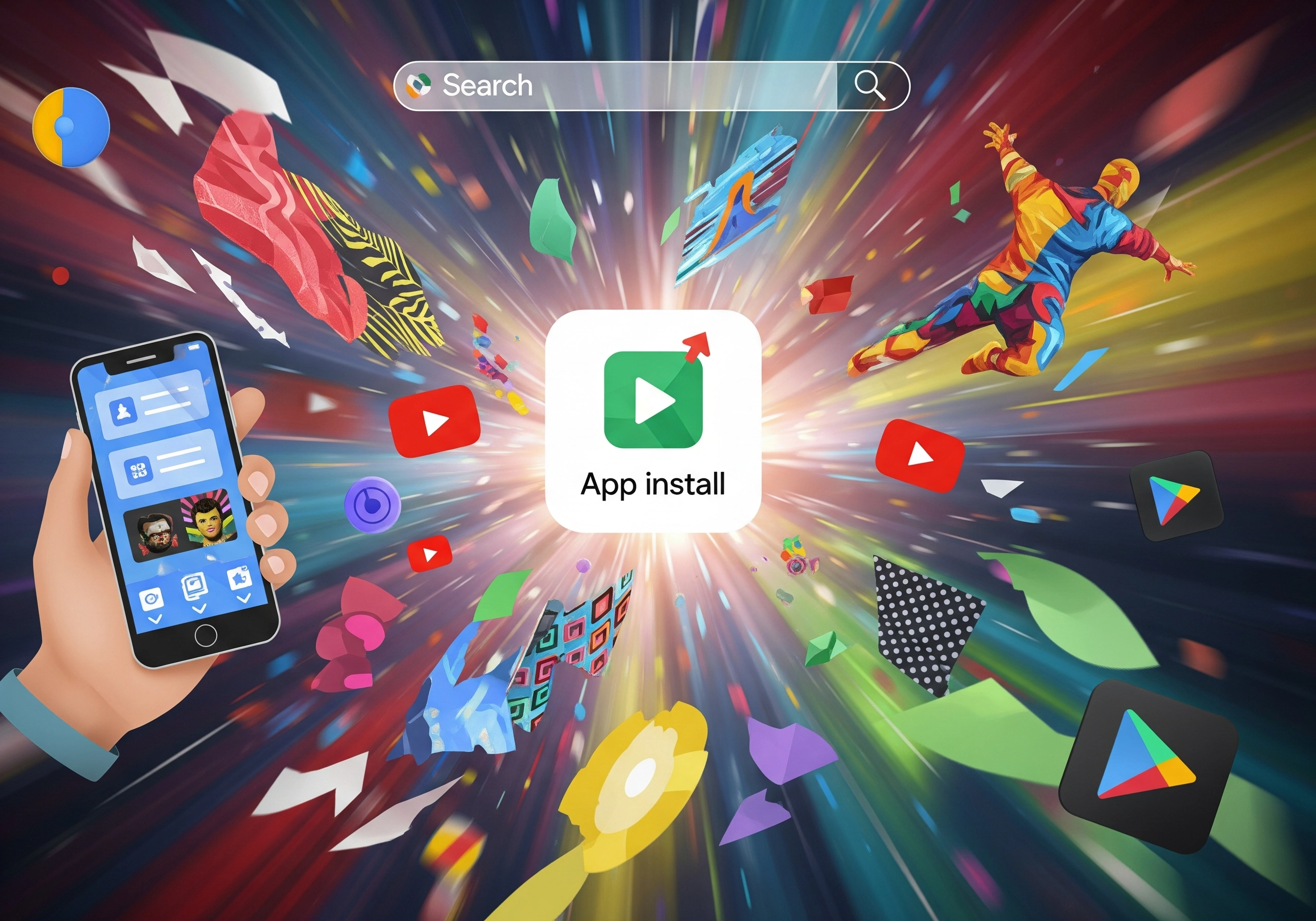
In the hyper-competitive app market, a brilliant app is only half the battle; the other half is getting it discovered. While Google App Campaigns automate much of the heavy lifting, the quality and diversity of your ad creatives are the true accelerators of user acquisition. These visuals and compelling copy aren’t just decorative elements; they are the direct connection to potential users, determining whether your app stands out in a crowded digital landscape.
The Creative Arsenal: Beyond Just an Image
Google App Campaigns leverage a diverse set of creative assets to reach users across its vast network. Understanding each type—and how to maximize its potential—is crucial for effective google ads app promotion. These aren’t one-size-fits-all solutions; each format plays a distinct role in capturing attention.
Your creative toolkit includes:
- Text Assets: Short, impactful headlines and descriptions that convey value and urgency.
- Image Assets: Static visuals, from screenshots to lifestyle photos, showcasing your app’s interface or benefits.
- Video Assets: Dynamic content, often the most engaging, demonstrating the app in action.
- HTML5 Assets: Interactive ads that can offer a mini-experience of your app before installation.
Each creative asset is a unique opportunity to tell your app’s story.
This variety ensures your message adapts fluidly across Google Search, YouTube, Google Play, and the Display Network, optimizing for each platform’s unique user experience.
Crafting Compelling Ad Copy: The Art of Persuasion
Effective ad copy for app campaign creatives goes beyond simply describing your app; it speaks directly to user needs and desires. Start with strong, benefit-driven headlines that immediately grab attention. Instead of saying “Our app has X feature,” reframe it as “Unlock X benefit with our app.”
Use concise language and a clear call-to-action (CTA) like “Install Now” or “Download Today.” Remember, users are often scanning, so clarity and impact are paramount. Highlight unique selling propositions (USPs) that differentiate your app from competitors, creating a sense of urgency or exclusivity.
Every word counts in converting a glance into an install.
By focusing on what users gain, your text assets become powerful conversion drivers rather than mere descriptions.
Designing Engaging Visuals: Show, Don’t Just Tell
Visuals are often the first point of contact and can instantly communicate your app’s value. For image assets, prioritize high-resolution, professional-grade screenshots that highlight key features and a clean user interface. Consider lifestyle images that show users interacting with your app in real-world scenarios, fostering relatability.
Video creatives are particularly potent, especially on platforms like YouTube. Keep them short, engaging, and to the point. The first few seconds are critical: hook viewers immediately by demonstrating a core problem your app solves or a key feature in action. Include clear overlays or voiceovers that reinforce your message and a prominent CTA at the end.
High-quality visuals dramatically increase perceived value and user interest.
Think about the user journey: what visual information will compel them to learn more and eventually install?
Strategic A/B Testing: The Path to Optimization
Never assume what will work best. The iterative nature of google ads app promotion demands rigorous A/B testing of your app campaign creatives. Test different headlines, descriptions, image styles, video lengths, and CTAs. Even subtle changes in color or wording can significantly impact install rates.
Google’s machine learning thrives on diverse inputs. Providing a wide array of creative variations allows the algorithm to learn which combinations resonate most with specific audience segments across different placements. This continuous feedback loop helps optimize campaign performance over time.
A/B testing transforms assumptions into data-driven insights.
Regularly analyze performance data, identify winning creatives, and replace underperforming ones to ensure your campaigns are always at peak efficiency.
Placement-Specific Optimization: Tailoring for Impact
Google’s network is vast, encompassing Search, Google Play, YouTube, and the Display Network. Each placement has unique characteristics and user behaviors. Your app campaign creatives should be tailored accordingly.
- Google Search & Play: Text-heavy creatives and app store listing assets are crucial here, often combined with concise images.
- YouTube: Video is king. Focus on engaging narratives, clear demonstrations, and strong hooks within the first 5 seconds.
- Display Network: Banners and interactive HTML5 ads can capture attention with visually rich content, often working best with clear, simple messaging.
By understanding the nuances of each platform, you can ensure your creatives are always contextually relevant and maximally effective. This thoughtful adaptation helps your app resonate with users, no matter where they encounter your ad.
Unleash the Algorithm: What Optimization Secrets Will Maximize Your App Install ROI?
Launching your Google App Campaign is just the beginning; the real magic happens through relentless, data-driven optimization. Many app developers mistakenly treat these campaigns as a ‘set it and forget it’ solution, leaving substantial app install ROI on the table. To truly maximize your investment, you must actively engage with the algorithm, refining your strategy based on real-time performance and market shifts.
The Continuous Optimization Loop: Your ROI Maximization Engine
Effective app campaign optimization isn’t a one-off task—it’s a perpetual cycle of analysis, adjustment, and iteration. Picture it as a dynamic feedback loop where every data point fuels your next strategic move. This iterative process is your key to staying ahead in the fiercely competitive mobile ad landscape, especially considering global mobile ad spend hit $336 billion in 2023.
Continuous optimization transforms raw data into actionable insights, driving superior performance.
Master Bid Adjustments and Budget Allocation
Your bid strategy is the compass for your google app install campaigns. Initial bids are educated guesses, but ongoing monitoring uncovers critical opportunities for refinement. If specific geographic locations or demographics consistently outperform, consider increasing their bids to capture more high-value users. Conversely, if certain segments are lagging, a downward adjustment can prevent wasted ad spend. Budget allocation also demands agile oversight. Don’t hesitate to reallocate budget from underperforming campaigns or ad groups to those delivering exceptional results. This dynamic approach ensures your investment is always directed towards the most effective channels, optimizing your overall paid ads strategy. A proficient digital marketing agency like Digital Shift India excels at this granular financial management.
Combat Creative Fatigue with Strategic Refresh
Even the most compelling ad creative has a limited lifespan. Users quickly become desensitized to repetitive visuals and messaging, leading to creative fatigue. When engagement metrics, such as click-through rates (CTR) or install rates, begin to decline, it’s a clear signal to refresh your creative assets. Regularly introduce new variations of text, image, and video creatives. Employ A/B testing to pit these new assets against existing ones, identifying fresh winners. This proactive creative management is vital for sustained app campaign optimization, ensuring your campaigns remain engaging and effective. {video: xxxxxxxx} This iterative testing and refreshing of creative assets is a cornerstone of modern app marketing.
Leverage Audience Signals for Algorithm Guidance
Google’s powerful machine learning algorithm thrives on data, and audience signals are its lifeblood. These signals—ranging from custom audiences derived from website visitors or customer lists to in-app behavioral data—provide the algorithm with crucial context about your ideal users. The more precise and relevant your audience signals, the better the algorithm can target individuals most likely to install and engage with your app. For example, if your app targets gamers, feeding the algorithm data on users who have previously installed similar gaming apps can dramatically enhance targeting efficiency. This deep understanding of user intent is what makes Google App Campaigns so potent, potentially delivering up to a 20% increase in app installs compared to other methods.
Deepen Optimization with In-App Events
While installs are a primary goal, true value often lies deeper within the app experience. Optimizing for in-app events—such as completing a tutorial, making a first purchase, or reaching a specific game level—is crucial for acquiring high-lifetime-value users. By meticulously tracking these events (ideally via Google Analytics for Firebase), you equip the Google Ads algorithm with more sophisticated conversion signals. This shift enables the algorithm to learn not just who installs your app, but who installs and subsequently performs valuable actions. The result is a higher quality of installs and a significantly improved app install ROI. Digital Shift marketing solutions specializes in configuring and analyzing these complex in-app event optimizations.
Act on Google Ads’ Recommendations and Understand the Learning Phase
Google Ads offers a suite of recommendations designed to enhance your campaign performance. These suggestions, often informed by vast amounts of aggregated data, can highlight opportunities for budget reallocation, bid adjustments, or creative updates. While not every recommendation is a perfect fit, many provide valuable insights for your overall digital marketing strategy. Crucially, understanding the learning phase of your campaigns is essential. During this initial period, the algorithm gathers data to optimize performance. Avoid making significant changes during this phase, as it can disrupt the learning process and hinder optimal results. Patience and consistent data input are key to unlocking the algorithm’s full potential.
Ready to amplify your app’s reach and drive installs? Discover how Digital Shift can craft and manage your high-performing Google App Campaigns for maximum impact.
People Also Ask
What are Google App Campaigns and how are they different from Universal App Campaigns?
Google App Campaigns (GAC) are the evolution of Universal App Campaigns (UAC). They use Google’s machine learning to automate ad creation and delivery across Google’s network (Search, Play, YouTube, Discover, GDN) to drive app installs and in-app actions. The core goal remains the same: acquiring valuable users for your app efficiently.
What are the key steps to setting up a Google App Campaign?
Setting up a Google App Campaign involves selecting your campaign objective (installs or in-app actions), defining your budget and bid strategy (like CPI or CPA), specifying your target audience, and providing creative assets (text, images, videos). Proper app store listing optimization and linking developer accounts are crucial pre-launch steps.
How important is creative optimization for Google App Campaigns?
Creative optimization is vital for Google App Campaigns. Providing a diverse range of high-quality assets, including text, images, and videos, allows Google’s algorithm to test and serve the most effective combinations. Tailoring creatives for different placements can significantly improve performance and drive more installs.
What is the best bid strategy for app install campaigns?
The best bid strategy depends on your goals. For maximizing installs, ‘Maximize Conversions’ with a target CPI (Cost Per Install) is common. If your focus is on acquiring users who perform specific in-app actions, bidding on CPA (Cost Per Acquisition) for those actions is more effective. Google’s automated strategies aim to optimize for your chosen objective.
How can I ensure my Google App Campaigns attract high-quality users, not just installs?
To attract high-quality users, focus on optimizing for in-app actions rather than just installs. Ensure your app store listing accurately reflects your app’s value proposition, and use audience targeting signals to reach users more likely to engage. Continuously monitor in-app events and adjust your campaign strategy based on user quality.
What role does attribution play in Google App Campaigns?
Attribution is critical for understanding campaign performance. By integrating an attribution platform (like Google’s own Firebase or third-party tools), you can accurately track which campaigns and creatives are driving installs and valuable in-app actions. This data is essential for optimizing your campaigns and proving ROI.